01
Unified Form Dashboard
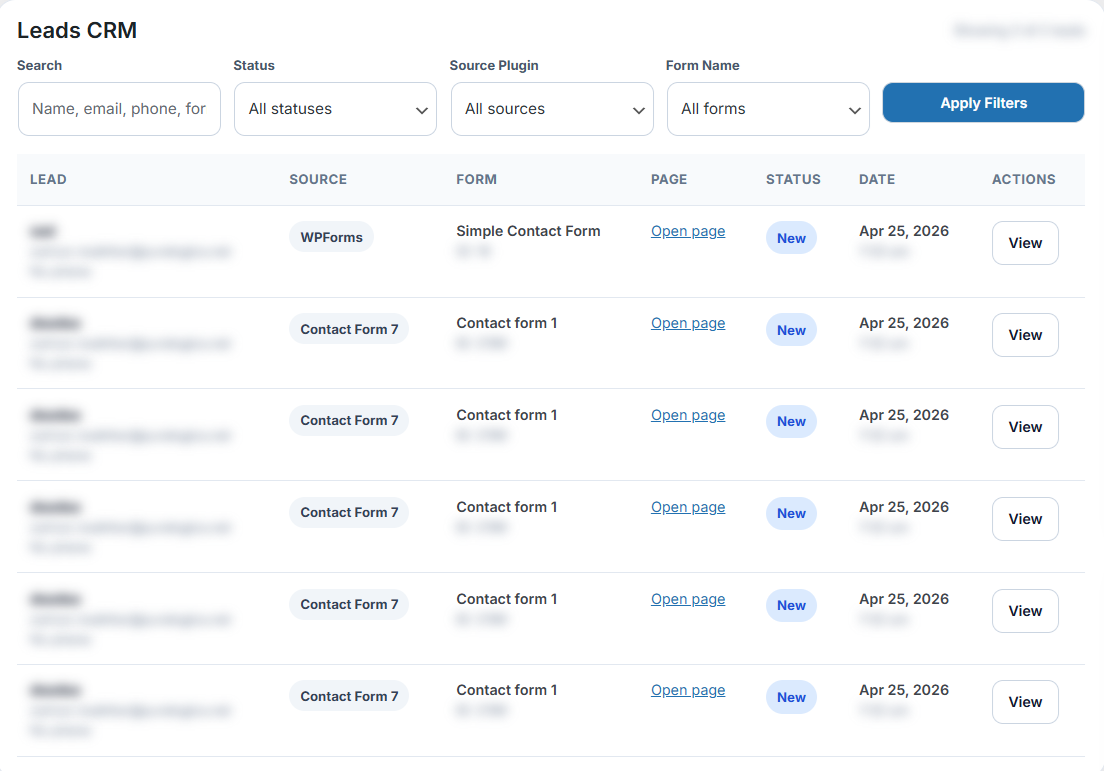
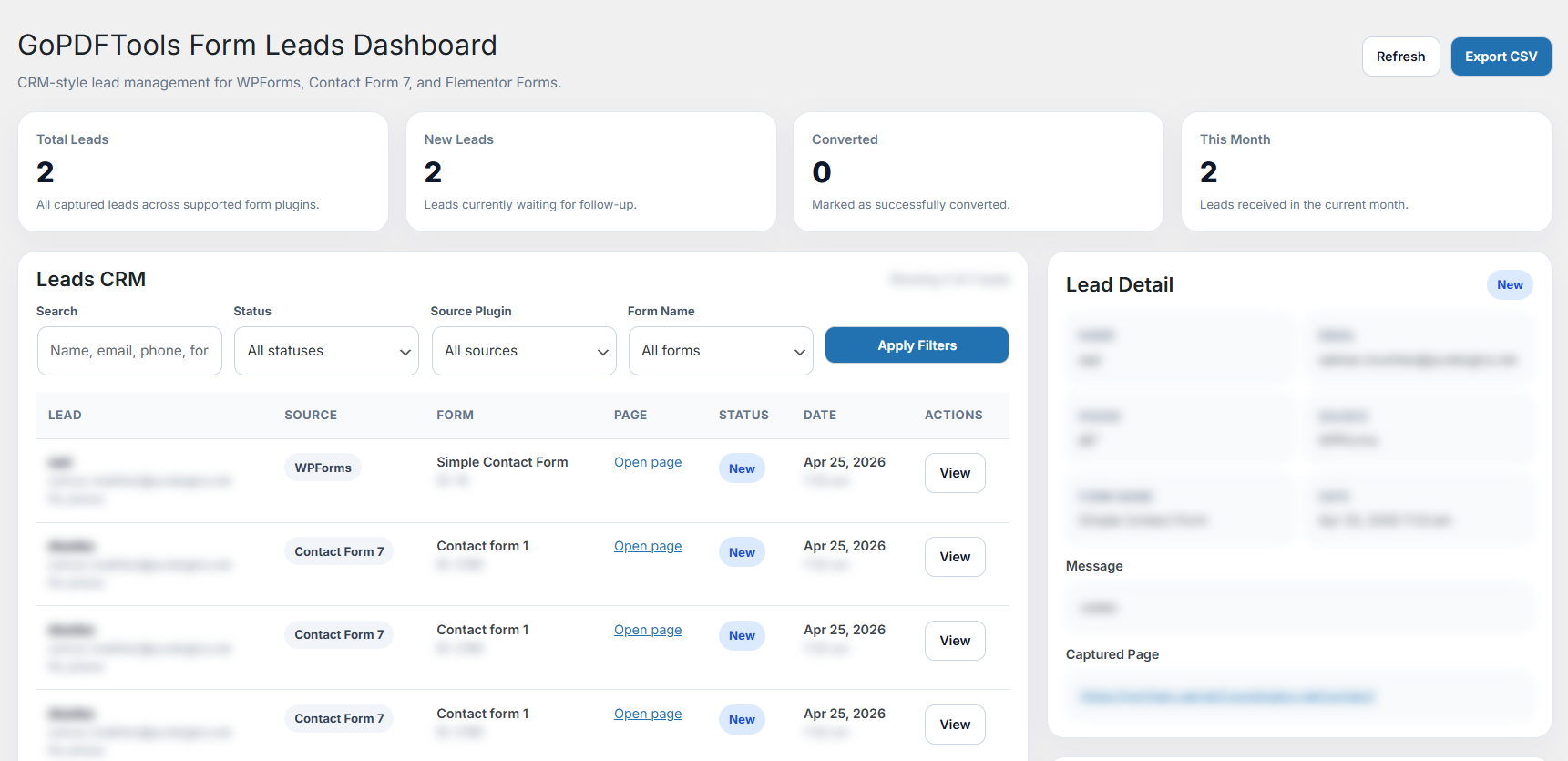
View submissions from WPForms, Contact Form 7, and Elementor Forms in one searchable dashboard with entry details and source form information.
Capture submissions from WPForms, Elementor Forms, and Contact Form 7 in one simple dashboard inside WordPress.
GoPDFTools Form Leads Dashboard works directly inside WordPress to save time on form entry management and follow-up.
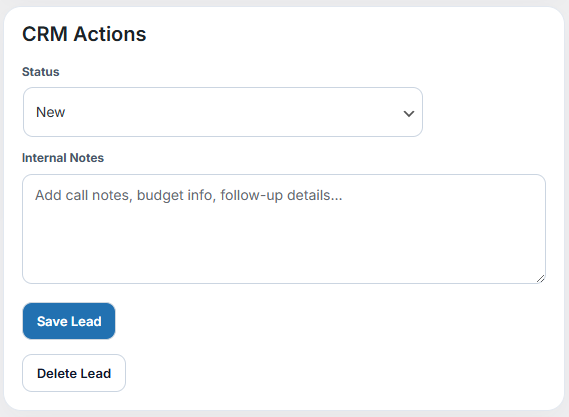
Update lead status, keep follow-up moving, and manage submissions without sending your team into a separate CRM or spreadsheet workflow.
View submissions from WPForms, Contact Form 7, and Elementor Forms in one searchable dashboard with entry details and source form information.
Track entries as New, Contacted, Qualified, or Resolved. Add internal notes for follow-up context without cluttering your inbox.
Find entries by form name, submitter email, submission date, status, or custom keywords to quickly locate and review leads.
Export form entries for reporting, backups, client handoffs, or spreadsheet analysis whenever your workflow needs it.
Capture submissions from multiple form plugins and form instances across your WordPress site in a unified view.
No external CRM or SaaS platform required. Everything lives inside your WordPress admin where your team already works.
See where GoPDFTools Form Leads Dashboard gives you more core entry-management features for free.
| Feature | GoPDFTools Form Leads Dashboard | WPForms | Contact Form 7 | Elementor Forms |
|---|---|---|---|---|
| Form Entries | Allowed (Free) | Paid | Paid | Free |
| Export Entries | Allowed (Free) | Paid | Paid | Free |
| CRM Actions (Status) | Available | Not included | Not included | Not included |
GoPDFTools Form Leads Dashboard integrates seamlessly with your existing WordPress forms and captures submitted data automatically.
Download GoPDFTools Form Leads Dashboard from WordPress.org and start capturing, organizing, and managing all your form submissions.
Install the free plugin from WordPress.org, activate it, and start capturing form entries into one organized dashboard.
Download the free GoPDFTools Form Leads Dashboard plugin from WordPress.org and activate it in your admin.
The plugin automatically detects and connects to your WPForms, Contact Form 7, and Elementor Forms.
Review submissions, update status, add notes, export CSVs, and organize all your form entries from one dashboard.
Common questions about the free GoPDFTools Form Leads Dashboard plugin.
GoPDFTools Form Leads Dashboard works with WPForms, Contact Form 7, and Elementor Forms on WordPress.org.
Yes. The plugin is 100% free on WordPress.org. We offer a Pro version with additional features like automated email replies and per-form templates.
No. GoPDFTools Form Leads Dashboard works alongside your existing form plugin to organize and manage submissions. It doesn't build forms.
Yes. You can export captured form entries to CSV for reporting, backups, or migration to other tools.
The Pro version adds automatic email replies, per-form email templates, and dynamic placeholder support for advanced workflows.
No. Everything stays in your WordPress database. All form entries are stored locally on your site.