Why WPForms entries can go missing
Many site owners assume every form submission is saved automatically. With WPForms Lite, that is usually not the case.
WPForms Lite does not store entries in the database by default
On many WordPress sites, form entries are delivered by email only. That works until a mail server is misconfigured, a message lands in spam, or notifications stop sending entirely.
The result is simple but costly
- Leads can be missed without anyone noticing right away.
- You have no central dashboard to review past submissions.
- Follow-up becomes harder when entries live only in email inboxes.
Ways to save WPForms entries in WordPress
There are two practical paths if you want to keep form data inside your site.
Option 1: Upgrade to WPForms Pro
WPForms Pro includes entry storage, which can work well if you already want the premium form builder features that come with it.
Option 2: Use a lightweight entry storage plugin
If your goal is simply to save submissions and view them in WordPress, a dedicated plugin can be a more direct and budget-friendly solution.
GoPDFTools Form Leads Dashboard is a simple free alternative
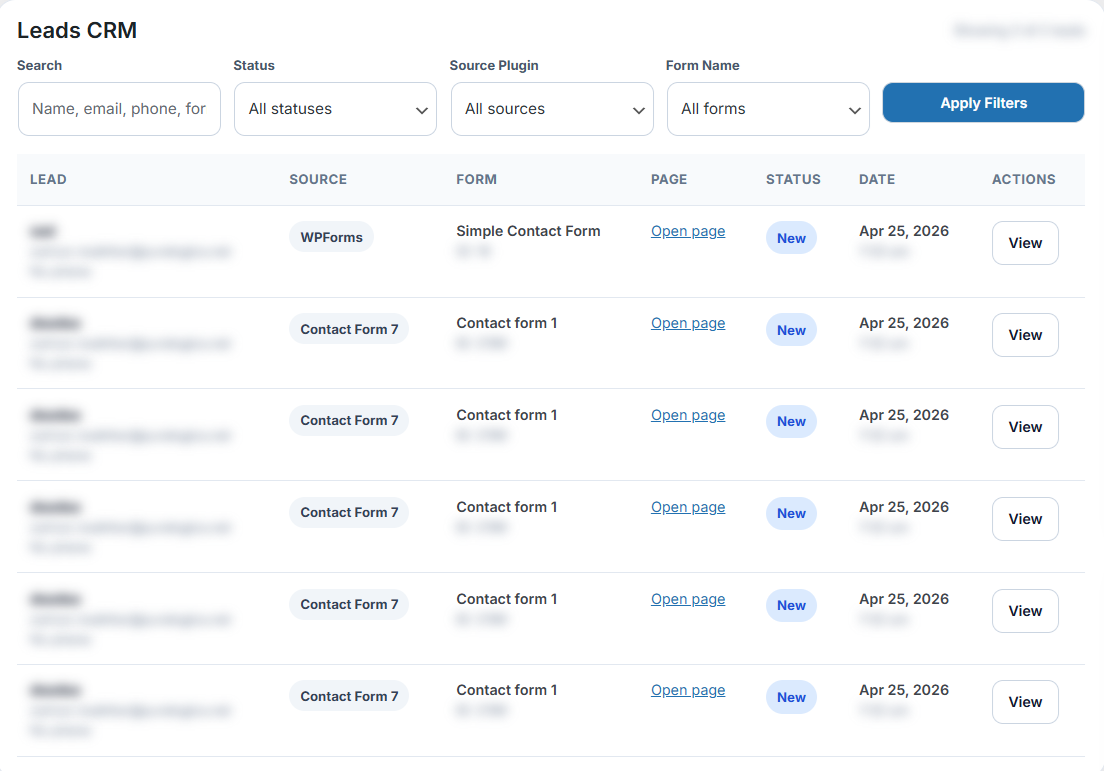
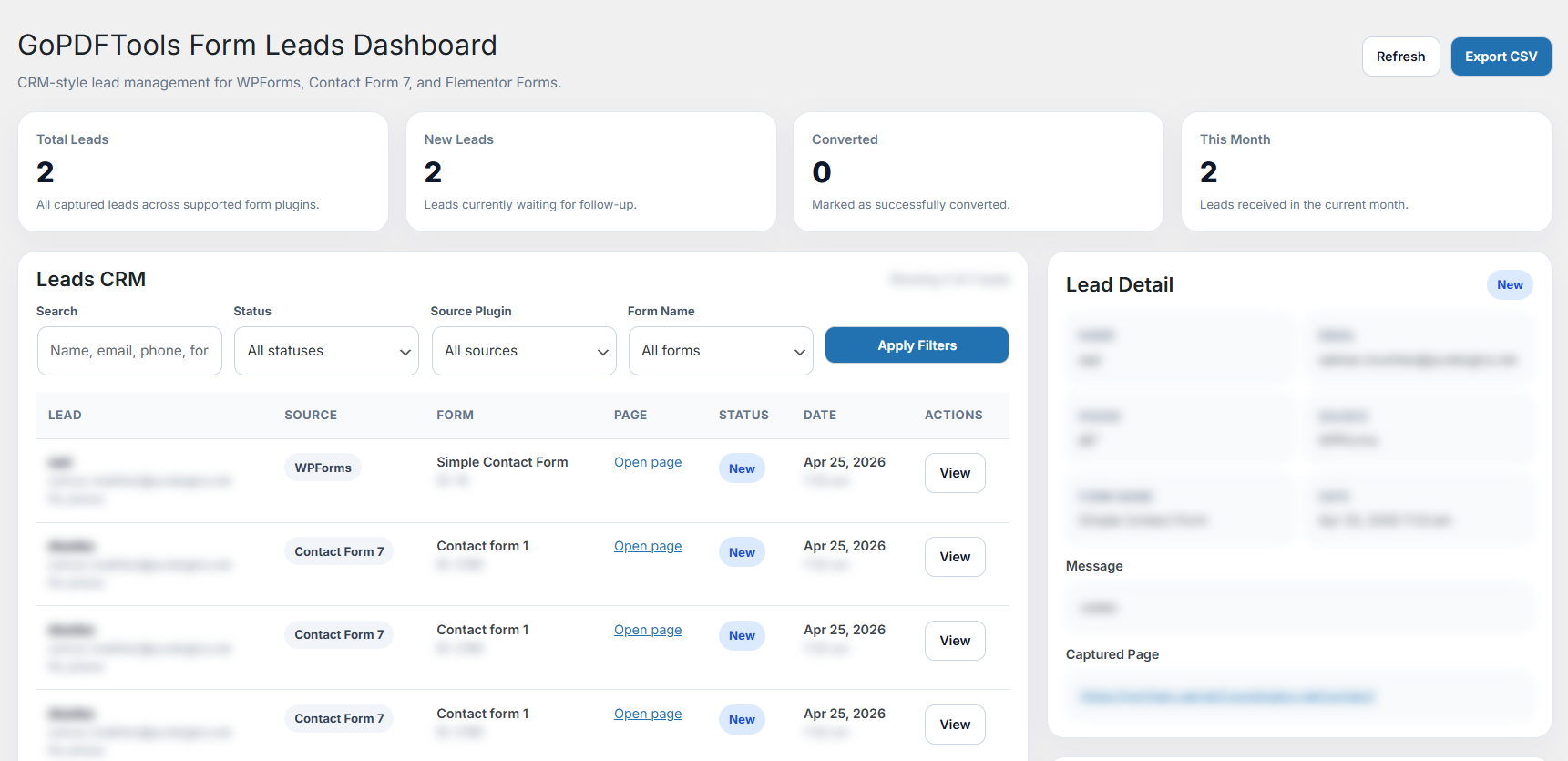
It works alongside WPForms and helps store incoming submissions in one dashboard so you can review leads later, search entries, and keep follow-up organized.
- Stores entries inside WordPress
- Works with WPForms without manual field mapping
- Keeps lead data accessible in one place
How to store WPForms submissions in 3 steps
This setup is meant to be simple. Once installed, you can test it with your own form in a few minutes.
Install the plugin
Download and activate GoPDFTools Form Leads Dashboard from WordPress.org.
Submit a WPForms test entry
Fill out your form once to confirm that submissions are being captured correctly.
View entries in the dashboard
Open the plugin dashboard to review leads, search submissions, and keep records inside WordPress.
Helpful features for WPForms users
You do not need a complicated CRM setup just to avoid losing submissions.
- Store entries from WPForms directly in WordPress
- Works with existing forms without rebuilding them
- No manual mapping required for common setups
Need a free way to save WPForms entries?
Install GoPDFTools Form Leads Dashboard and keep every submission visible in your WordPress dashboard.
WPForms entry storage FAQ
Quick answers to common questions about saving WPForms submissions in WordPress.
Does WPForms save entries?
WPForms Lite typically does not save entries in the database by default. It often relies on email notifications instead.
Can I store entries for free?
Yes. A free plugin like GoPDFTools Form Leads Dashboard can store submissions in WordPress so you have a dashboard record of every lead.
Do I need WPForms Pro?
No. WPForms Pro is one option, but it is not the only way to keep entries saved inside your site.